UI improvements to connection flows

We have released user interface improvements for our NetSuite, Sage Intacct, and QuickBooks Desktop connectionConnection A link between a Codat company and a data source (like an accounting platform). Each connection represents authorized access to pull or push data from that platform. flows.
What's new?
We have revised and improved the connectionConnection A link between a Codat company and a data source (like an accounting platform). Each connection represents authorized access to pull or push data from that platform. flows a small business customer goes through when connecting NetSuite, Sage Intacct, and QuickBooks Desktop. We have added:
- A clean and consistent layout and design to provide recognizable experiences across all our linking journeys.
- Improved and simplified copy that provides enhanced guidance to the user going through the flow.
- Autogenerated username and password values the user can copy and paste to remove ambuguity.
- Deep linksLink The authorization flow that allows end users to connect their accounting, banking, or commerce platforms to your application via Codat. in the linking journey take users directly to the pages they need to execute the steps of the flow.
- LinksLink The authorization flow that allows end users to connect their accounting, banking, or commerce platforms to your application via Codat. to end user documentation that supports your customer in their journey and allows them to troubleshoot as they go.
See our dedicated NetSuite, Sage Intacct, and QuickBooks Desktop end user documentation.
NetSuite
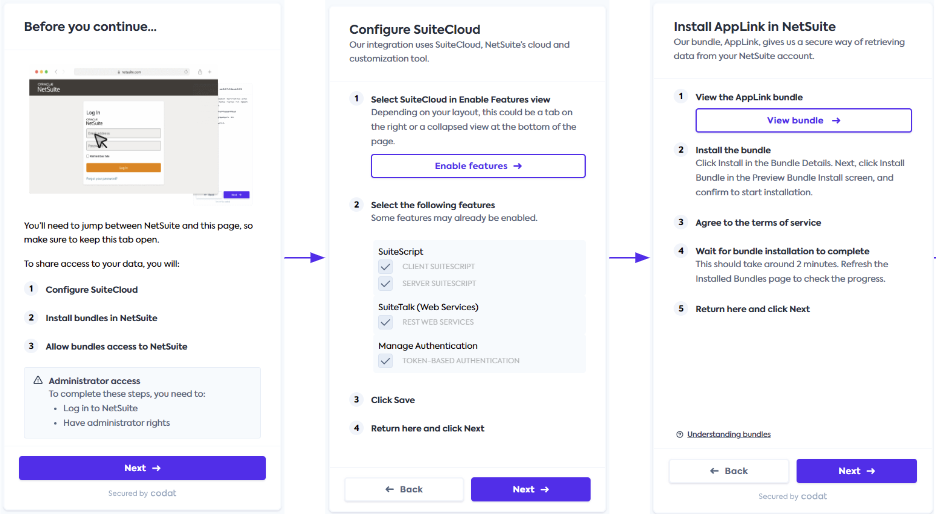
In addition to the above changes, the NetSuite flow now has:
- Reduced number of steps required to connect, simplifying user experience and increasing completion rates.
- Enhanced error management experience with improved guidance and direct linksLink The authorization flow that allows end users to connect their accounting, banking, or commerce platforms to your application via Codat. to self-serve resolutions.
Sage Intacct
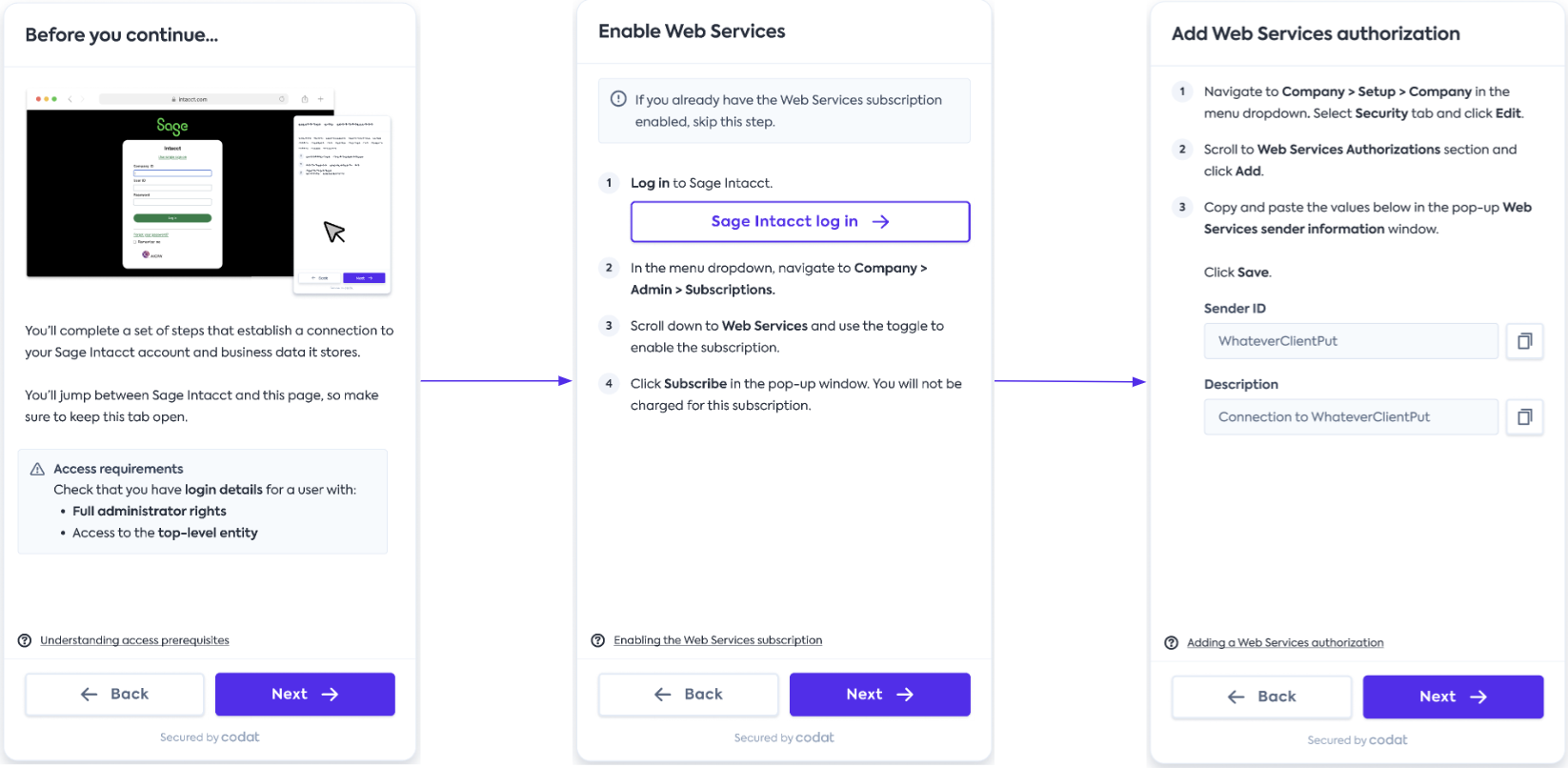
The Sage Intacct linking journey has the following additional improvements:
- The connectionConnection A link between a Codat company and a data source (like an accounting platform). Each connection represents authorized access to pull or push data from that platform. is based on Sage's Web Services user, making the connectionConnection A link between a Codat company and a data source (like an accounting platform). Each connection represents authorized access to pull or push data from that platform. significantly less likely to expire and deauthorize.
- It caters for both user-based and role-based Sage Intacct companyCompany In Codat, a company represents your customer's business entity. Companies can have multiple connections to different data sources. setups, adjusting the journey accordingly.
QuickBooks Desktop
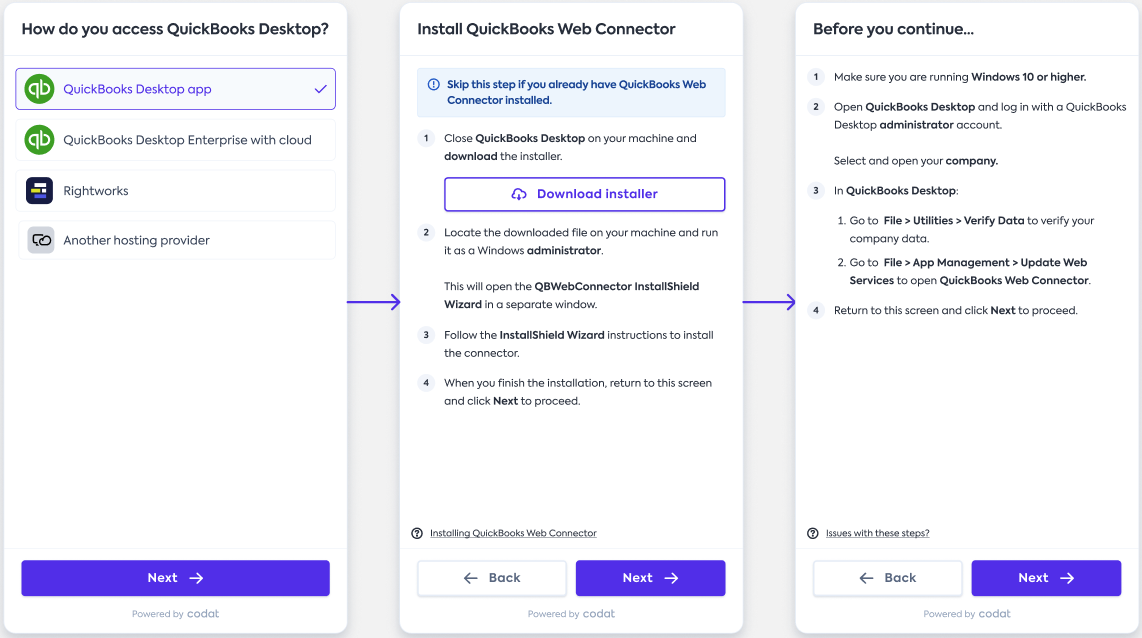
QuickBooks Desktop connectionConnection A link between a Codat company and a data source (like an accounting platform). Each connection represents authorized access to pull or push data from that platform. flow now benefits from these additional enhancements:
- It is now tailored to multiple QBD access options and includes support for a new option.
- It has increased flow control, ensuring the user completes the step before proceeding to the next one.
Who is this relevant for?
All clients that have NetSuite, Sage Intacct, or QuickBooks Desktop integrations enabled.
How to get started?
The updated connectionConnection A link between a Codat company and a data source (like an accounting platform). Each connection represents authorized access to pull or push data from that platform. flows are already available to all out customers without any activation steps required.
If your clients are connecting to NetSuite, Sage Intacct, or QuickBooks Desktop today, they are already enjoying the new user experience.